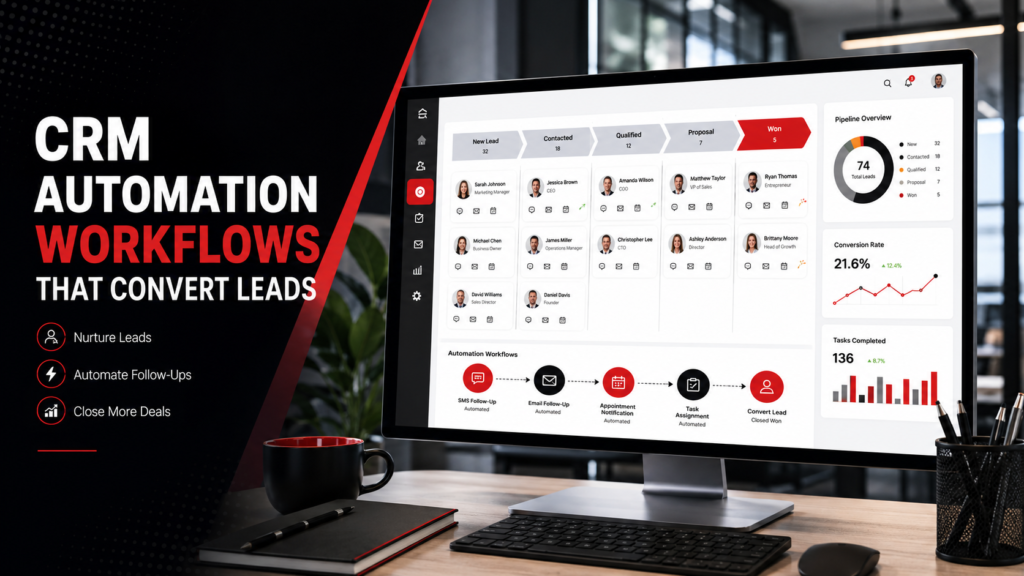
Generating leads is only the beginning of the sales process. The real challenge is responding quickly, keeping prospects engaged, organizing follow-ups, and moving each opportunity toward the right next step.
CRM automation workflows help businesses manage these tasks without relying on employees to remember every call, email, appointment, and pipeline update.
A CRM automation workflow is a sequence of actions triggered by a lead’s activity, information, or position in the sales process. It can send messages, assign tasks, update pipeline stages, notify team members, and schedule follow-ups automatically.
When implemented correctly, CRM automation does not make communication feel less personal. It makes the sales process faster, more organized, and more consistent.
Why CRM Automation Improves Lead Conversion
Many leads are lost because of operational gaps rather than a lack of interest.
A prospect may submit a form but receive no immediate response. A salesperson may forget to follow up after sending a quote. An appointment request may sit unnoticed in an inbox. A qualified opportunity may remain in the wrong pipeline stage for weeks.
CRM automation reduces these gaps by creating a clear process for every lead.
Effective automation can help businesses:
- Respond to inquiries immediately
- Assign leads to the correct team member
- Keep follow-ups consistent
- Track every sales opportunity
- Reduce repetitive administrative work
- Re-engage leads that stopped responding
- Improve accountability across the sales team
The goal is not to automate every conversation. It is to automate routine actions so employees can focus on conversations that require human judgment.
What Should Be Prepared Before Building Workflows?
Before creating automations, define your sales process clearly.
Identify:
- Where leads come from
- What information you need from them
- Who should handle each type of inquiry
- What stages exist in your pipeline
- How quickly follow-ups should happen
- When a lead should leave an automation
- Which actions require a human response
A poorly planned workflow can create duplicate messages, incorrect assignments, and confusing customer experiences. A well-planned CRM setup gives every automation a clear purpose.
Businesses that need help designing these systems can use custom CRM automation to align workflows with their actual sales process instead of forcing the team into a generic template.
10 CRM Automation Workflows to Implement

1. Instant New-Lead Response
The first workflow should acknowledge every new inquiry immediately.
When someone submits a form, calls the business, starts a chat, or enters through an advertising campaign, the CRM can automatically:
- Create or update the contact
- Send a confirmation email or SMS
- Notify the assigned salesperson
- Create an opportunity in the pipeline
- Schedule the next follow-up task
The first message should be simple. Confirm that the inquiry was received, explain what happens next, and provide an appropriate response timeframe.
2. Lead Source Tracking and Tagging
Every lead should be tagged according to its source.
Useful lead-source tags may include:
- Google Ads
- Organic search
- Website form
- Referral
- Phone call
- Event
- Purchased list
This workflow makes reporting more accurate and helps teams understand which channels are producing qualified opportunities.
Source tracking can also control future automation. For example, a referral lead may receive a different message sequence from a cold advertising lead.
3. Automatic Lead Assignment
New leads should reach the right person without manual forwarding.
An assignment workflow can route leads according to:
- Service requested
- Geographic area
- Sales representative availability
- Industry
- Lead value
- Language
- Round-robin distribution
The workflow should also notify the assigned person and create a deadline for the first personal response.
Clear assignment rules prevent multiple employees from contacting the same lead or assuming someone else is handling it.
4. Lead Qualification Workflow
Not every inquiry is ready for the same sales conversation.
A qualification workflow can collect important details such as:
- Service needed
- Budget range
- Location
- Desired timeline
- Business size
- Decision-making authority
- Preferred contact method
The CRM can then categorize the lead as qualified, unqualified, urgent, or requiring further review.
For businesses handling high inquiry volumes, AI virtual assistant solutions can support qualification by asking initial questions, recording answers, and guiding prospects toward the appropriate next step.
5. Appointment-Booking Workflow
When a qualified lead is ready to speak, the CRM should make scheduling easy.
An appointment workflow can:
- Send a booking link
- Confirm the selected time
- Add the appointment to the calendar
- Send email or SMS reminders
- Notify the assigned team member
- Follow up after a missed appointment
Include clear rescheduling and cancellation options. Reminders should help the customer attend, not overwhelm them with repeated messages.
6. No-Response Follow-Up Sequence
Many prospects do not respond to the first message. That does not always mean they are uninterested.
A short automated follow-up sequence may include:
- An initial confirmation
- A helpful reminder
- A question about timing
- A final message offering future assistance
Each message should add context instead of repeating the same sales pitch.
Stop the sequence immediately when the person replies, books an appointment, opts out, or becomes disqualified.
7. Sales Pipeline Stage Automation
Pipeline stages should reflect what is actually happening with each opportunity.
A typical pipeline may include:
| Stage | Meaning |
| New Lead | Inquiry received |
| Contacted | Initial outreach completed |
| Qualified | Lead meets sales criteria |
| Appointment Booked | Consultation scheduled |
| Proposal Sent | Quote or proposal delivered |
| Won | Customer accepted |
| Lost | Opportunity closed without sale |
CRM automation can update stages based on actions such as booking an appointment, sending a proposal, making a payment, or receiving a signed agreement.
Accurate stages help teams prioritize opportunities and forecast sales more reliably.
8. Proposal and Quote Follow-Up
Sending a proposal should trigger a structured follow-up process.
The CRM can:
- Record the proposal date
- Schedule a follow-up task
- Send a polite reminder
- Notify the salesperson if there is no response
- Move accepted proposals to the next stage
- Close expired or declined opportunities properly
The workflow should not pressure prospects every day. Give them enough time to review the proposal and provide a clear way to ask questions.
9. Lost-Lead Reactivation
Some leads are not ready when they first contact the business. They may need more time, a different budget, or a later project date.
A reactivation workflow can contact eligible leads after a reasonable period with:
- A helpful update
- A relevant service reminder
- A new consultation offer
- A seasonal message
- A question about whether their plans changed
Exclude anyone who opted out, gave negative feedback, or should not be contacted again.
10. New-Customer Handoff
Automation should continue after the sale.
When an opportunity becomes a customer, the CRM can:
- Stop all sales follow-ups
- Move the opportunity to “Won”
- Send a welcome message
- Notify the delivery or support team
- Create onboarding tasks
- Request required documents
- Schedule project updates
- Trigger a review request later
This creates a smoother transition from sales to service and reduces the risk of customers receiving inappropriate prospecting messages after purchasing.
How to Keep CRM Automation Human
Automation works best when it supports real communication.
Follow these principles:
- Personalize messages with accurate contact information
- Keep SMS messages brief
- Use email for detailed information
- Make opt-out instructions clear
- Avoid sending too many messages
- Stop workflows when the goal is completed
- Give team members control when human involvement is needed
- Test every workflow before activating it
Review performance regularly. Look for missed replies, duplicate messages, incorrect pipeline movements, and stages where leads frequently stop progressing.
Short Summary
CRM automation workflows help businesses respond faster, organize leads, automate follow-up, manage sales pipelines, and improve the transition from prospect to customer.
The most useful workflows include instant responses, lead tagging, assignment, qualification, appointment scheduling, no-response follow-up, pipeline updates, proposal reminders, reactivation, and customer onboarding.
Conclusion
A CRM cannot improve conversions simply by storing contact information. It becomes valuable when it supports a clear, consistent sales process.
Start with the workflows that solve your biggest operational gaps. Build carefully, test every path, and keep human involvement available for important decisions and conversations. Voxlumedia helps businesses design CRM systems around their real sales processes, from lead capture and pipeline setup to automated follow-up and customer onboarding. To identify which workflows would make the greatest difference in your business, book a CRM strategy session with Voxlumedia.
